
Grab your phone and fire up the calculator app. You punch in 5 plus 3, so that’s your input. It crunches the numbers and shows 8 on screen; that’s the output.
Every algorithm follows this simple pattern: input goes in, processing happens, output comes out. You see it everywhere, from apps to AI chatbots, but beginners often mix up what counts as input or output. Because algorithms power daily tech, understanding input and output in an algorithm makes coding less scary.
In this post, you’ll get clear definitions first. Then, beginner examples like adding numbers or brewing tea break it down. Next, real-life uses in phone apps and games show how it works. Finally, we bust common myths, such as thinking outputs must be numbers.
Mastering input and output unlocks any algorithm without tech jargon. So, let’s dive right in with the basics.
What Input Brings to an Algorithm
Input means the data you feed into an algorithm to kick things off. It could be numbers, text, or sensor readings. Sources include your keyboard taps, device sensors like temperature gauges, or files from your computer. Without input, nothing happens; the algorithm sits idle.
Consider a simple addition task. You enter two numbers, say 5 and 3. Here’s pseudocode to show it:
input number1
input number2
sum = number1 + number2
output sum
You type 5 for number1, then 3 for number2. The algorithm processes and outputs 8. Inputs vary too. They might be one value, a list like [10, 5, 20] for averages, or mixed types. This flexibility powers real apps.
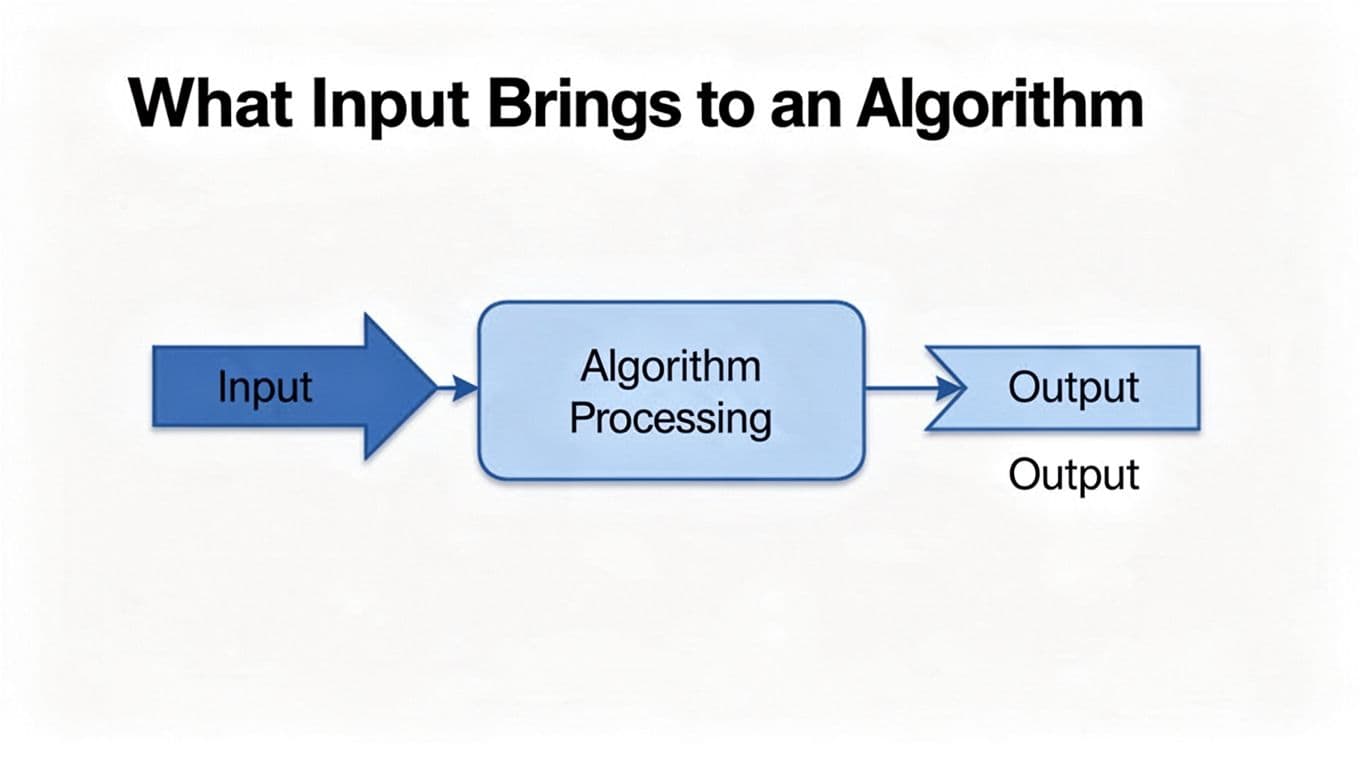
See how that arrow points in? It starts the magic every time.
Everyday Ways Input Shows Up
You meet input daily without thinking. It sparks algorithms in apps you use. For example, your phone calculator waits for your taps. A recipe app needs ingredient lists. These kick off the processing.
Here are common spots:
- Typing scores for an average: Enter 80, 90, 70 in a grade app. It calculates your mean right away.
- Pressing an arrow key in a game: Push left to move your character. The game shifts the screen based on that press.
- Keywords in social media search: Type “puppy videos.” The feed pulls matching clips from your network.
Inputs like these launch the fun. They make tech respond to you.
Different Flavors of Input Data
Input comes in basic types. Each suits different jobs. Numbers handle math. Text works for words. Booleans mean yes or no. Lists group items.
Take a bus discount checker. It asks for age (a number, like 16) and student status (boolean: yes or no). Age under 18 or yes on student gets the deal. So, inputs mix types smoothly.
Numbers appear in calculators or GPS routes. Text shows up in searches, like “pizza near me” for maps. Booleans flag options, such as “subscribe?” in apps. Lists shine for batches, like shopping carts [apples, milk, bread].
For more on these basics, check BBC Bitesize’s guide to input in algorithms. Variety keeps algorithms versatile. You pick what fits the task.
Output: The Payoff from Your Algorithm
You fed in the data with input. Now processing finishes, and output delivers the result. This final step solves the problem. Output appears as a number, text, action, or even a saved file. It wraps up the algorithm’s job. Sometimes you see it on screen. Other times, it triggers a quiet signal or stores info behind the scenes.
Outputs make algorithms useful. They turn raw input into something practical. For instance, adding 5 and 3 gives sum 8. Or finding the smallest in [10, 5, 20] spits out 5. A game character moves left after your key press. Multiple outputs can happen too. A recipe app might display steps, save a shopping list, and play a timer sound all at once.
Check this visual. The output arrow points right from the processing box. It shows results flowing out clearly.

What Output Can Look Like
Outputs take many forms. Numbers show math results, like an average score of 80. Text delivers messages, such as “Discount: yes” for eligible shoppers. Images or sounds pop up too, like a photo edit or alert beep.
Actions stand out most. They make things happen. Traffic lights switch to green after sensors detect a clear path. Thermostats turn heat on when rooms dip below 68 degrees. Search apps list results, ranked by relevance, after you type “best pizza.”
Here are quick examples:
- Calculator sum: Input 7 and 4; output reads 11 on screen.
- Weather app: Sensors feed data; output warns “Rain soon” with an icon.
- Smart fridge: Scans items; output texts “Buy milk” to your phone.
These solve real needs. Outputs stay hidden sometimes, like saving a report to disk. Or they signal devices, such as a robot arm grabbing parts.
Spotting Output in Simple Code
Pseudocode marks output clearly. Look for the output command. It displays results or triggers actions.
Take adding numbers again. You know the drill from input:
input number1
input number2
sum = number1 + number2
output sum
Type 12 and 8. Processing adds them. Then output sum shows 20. Simple.
Now find the minimum in a list, say [9, 3, 7]:
input numbers (list)
min_value = numbers[1]
for each num in numbers
  if num < min_value
    min_value = num
output min_value
It scans the list. The smallest wins. output min_value prints 3.
For more pseudocode basics, see Codecademy’s beginner guide to pseudocode. Outputs like these display on screen, save files, or act. They complete the loop. You get answers fast.
How Input Flows to Output in Real Algorithms
Algorithms shine when input smoothly turns into output. You start with data, process it quick, and get a useful result. Processing sits in the middle, but input kicks it off and output delivers the win. Let’s trace that path in real steps.
Step-by-Step Journey from Input to Output
Picture calculating average scores from a test. You enter numbers like 80, 90, and 70. That’s your input: a list of values. The algorithm sums them first. Then it divides by the count. Finally, output shows the average.
Here’s the full pseudocode:
input scores (list)
sum = 0
for each score in scores
  sum = sum + score
n = length of scores
average = sum / n
output average
You type those scores. Processing adds 80 + 90 + 70 to get 240. It counts three items, so 240 divided by 3 equals 80. Output displays “Your average: 80”. Simple flow, right?
This matches other tasks too. Traffic sensors detect cars as input. Processing checks traffic volume. Output flips the light green if clear. Or a smart thermostat reads room temp below 72 degrees. It compares to your set point. Output adjusts the heat on.

See the arrows guide data along? Input enters left, output exits right. Next time you average grades, watch this happen.
Algorithms Powering Your Daily Life
Algorithms hide in plain sight. They handle your calculator taps, social searches, and even bus discounts. In 2026, they get smarter with AI predictions, but the input-process-output core stays the same.
Fire up your phone calculator. Tap 12 plus 8 as input. It adds them. Output shows 20. Basic, yet reliable.
Social media search works similarly. Type “puppy videos” as input. The algorithm scans posts and your likes. Output fills your feed with clips. Apps like Instagram now rank by dwell time and shares for better matches.
Bus discount apps ask age and student status. Input those details. Processing checks rules, like under 18 or yes on student. Output says “Discount approved” or not.
Traffic lights use sensors for car counts as input. They process flow data. Lights change to green, easing your commute. For details on signal ops, see the Texas Transportation Institute’s handbook.
Smart thermostats read current temp as input. They compare to 72 degrees. Output cranks heat or cools as needed, saving energy. Check this guide on thermostat learning.
Game key presses move characters too. Press left; input registers. Processing updates position. Output shifts the screen.
Recipe apps take ingredient lists as input. They match recipes. Output suggests meals. Spot this flow everywhere. Next time you search social media or check transit discounts, trace input to output. You’ll see algorithms at work daily.
Busting Myths About Input and Output
You might think input always comes from a person tapping keys, but actually sensors and files feed data too. Output seems like screen text only, yet it often saves files or moves robots quietly. Beginners assume one input always yields one output instantly, or that some algorithms skip input and output altogether. However, every algorithm needs them to work, and big data takes time to process. Let’s clear these up so you spot the real flow.
Does Input Always Need a Person?
You might think algorithms wait for human fingers on keyboards, but actually sensors grab data on their own. Traffic lights use ground loops or cameras to count cars without drivers typing anything. For example, in San Jose, sensors spot buses and feed counts into the algorithm. It processes flow, then adjusts timings for smoother rides.
Files provide input too. A program reads sales data from a spreadsheet, crunches numbers, and predicts trends. Other apps send data over networks, like weather stations piping temps to forecast tools. So, input flows from machines mostly.

This setup cuts human error. Next time lights change fast, thank non-human inputs.
Is Output Always What You See?
You might picture output as bright screen numbers, but actually it hides in saves or device signals. A search app writes results to a file for later use, no display needed. Robots get output as motor commands; the arm grabs parts after processing sensor data.
In games, one key press inputs movement, yet output varies: screen shifts, sounds play, scores update. Not one-to-one always. Big data sorts take minutes, so outputs aren’t instant either. All algorithms rely on this pair to deliver value.
Check this guide on advanced traffic controls for sensor examples. Now you see input and output in full action.
Conclusion
Input kicks off every algorithm. Output wraps it up with results you can use. Now you spot this flow everywhere, from your phone calculator to traffic lights and game moves.
Remember that first tap on your calculator app? Input numbers go in, processing adds them, and output shows the answer. This simple pattern powers all the tech around you.
Grab a sheet of paper right now. Sketch a basic algorithm, like sorting a short list of numbers. Jot down the input (your list) and output (the sorted version).
Share your favorite real-life example in the comments below. Input and output in algorithms made easy.